Capture stakeholder feedback when you go straight to code.
Wondering how to gather stakeholder feedback when you jump straight into coding and skip the design tools? Missing the Figma feedback loop because you design straight in code? Enter Hot Takes.
Three steps to feedback straight from your app.
- 1
Create a project
Name your project and get its key with a ready-to-paste SDK snippet. Each project has its own gallery and reviewer roster.
- 2
Drop in the SDK
Add one line to your SwiftUI prototype:
HotTakes.start(projectKey:). No backend, no tooling for your reviewers to install.Swift Package Manager, iOS 17+. - 3
Start collecting feedback
Reviewers mark up screenshots and record their screen with live voiceover, right inside your build. Every take lands in your gallery, attributed to a real person.
Point at exactly what they mean.
Feedback lands on the pixels it is about. No guessing at the target, no describing it in a thread.
Screenshots
Mark up the frame with arrows, boxes, and freehand ink, then add a note. It sends in one tap.
Recordings
Record the screen with the same markup and a live voiceover, and add a note. Intent arrives with the pixels.
Organized into a storyboard, automatically.
Hot Takes groups every incoming take by the screen it came from, so a project reads as a storyboard of your prototype in flow order. Nobody sorts, renames, or files anything. The grid is one toggle away.
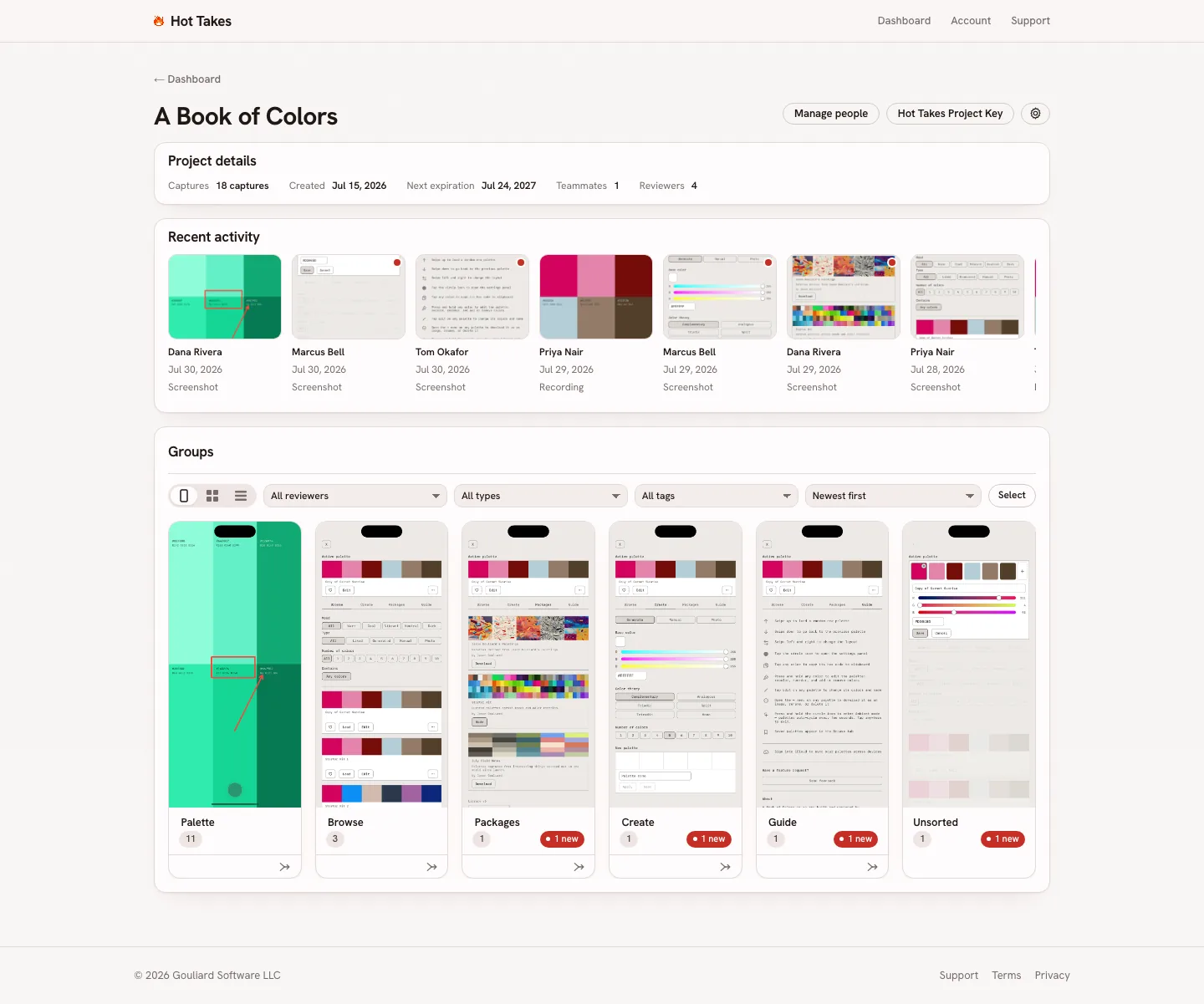
- Per project One gallery per project
- Storyboard view The default: takes auto-grouped by screen
- Filters Filter by reviewer, type, or tag
- Unsorted Takes that can’t be auto-grouped park here
- New for you Unseen takes, counted per group
Ship the build. Let the feedback come to you.
One line of Swift, one gallery,
zero threads to chase down.